
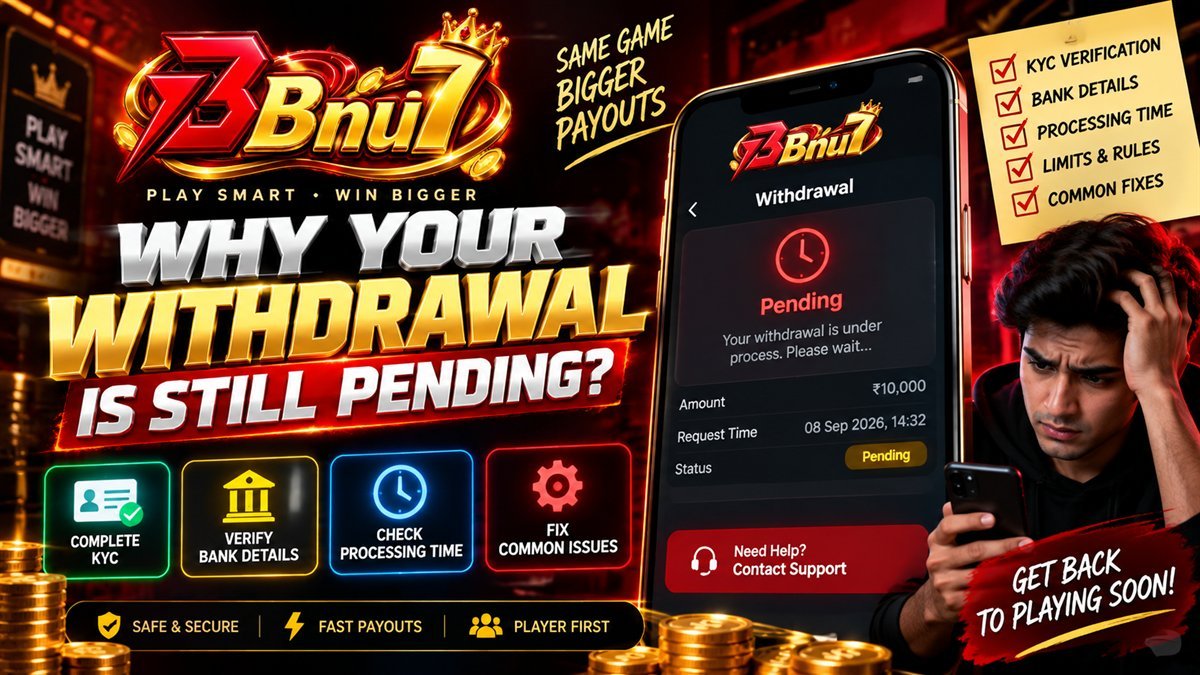
Key takeaways
- It is rarely the payment rail. UPI, IMPS and NEFT settle fast once a payout is actually released — the delay almost always sits upstream of the transfer itself.
- KYC decides whether a payout can move at all. Deposits never require it; withdrawals always do, and the gap between those two facts is where most surprise happens.
- A name mismatch is the single biggest cause of a stuck first withdrawal. Document name, account name and bank or UPI name must correspond exactly.
- An open wagering requirement blocks the bonus portion of a balance — and on some platforms, the entire request — until it is cleared or forfeited.
- Almost every cause is preventable by completing verification on day one, before a withdrawal is ever requested rather than after.
The moment a withdrawal sits on "pending" for longer than expected, the instinct is to suspect the worst — that funds are being withheld, that the platform is stalling, that something has gone wrong that only a support agent can fix. In the overwhelming majority of cases none of that is true. A payout is paused by one of a small, known set of conditions, every one of which is visible on your own account before you ever press submit.
This article walks through those conditions in the order they are actually checked behind the scenes, explains why each one exists, and gives you the exact screen to look at to confirm or rule it out. Read it once before your first withdrawal and the "still pending" message stops being a mystery and starts being a checklist.
The short answer
Set aside the platform, the amount and the payment method for a moment, because the cause of a pending withdrawal narrows down to four things almost every time, and they are checked in roughly this order:
- Identity verification (KYC) is not yet approved No payout can be released to an unverified account, regardless of balance or game history.
- The name on your account does not match your payment details A document, account or bank name mismatch routes the request to manual review.
- A wagering requirement is still open Bonus-derived funds cannot leave the account until their turnover condition is met or the bonus is forfeited.
- The request exceeds a limit, or lands outside a processing window Minimum and maximum payout sizes, daily caps and cut-off times all exist and all delay a request that crosses them.
Notice what is missing from that list: the UPI network, your bank, and the platform simply "being slow" for no reason. Those do happen occasionally, but they are the least common explanation by a wide margin, and they are usually the first thing blamed and the last thing actually responsible.
Nearly every "still pending" report resolves to one of four account-side conditions — all visible on your own wallet and cashier screens, none requiring a support ticket to confirm.
KYC: the verification gate
Know Your Customer verification is a regulatory identity check, not a platform preference. It exists to confirm that the person operating an account is a real adult and that funds move to and from a genuine, matching identity — the same requirement that applies to opening a bank account or a demat account in India. No amount of game history, deposit volume or account age substitutes for it.
The critical detail is timing. Deposits never require KYC. Withdrawals always do. A player can deposit, play for weeks, and build a substantial balance entirely unaware that verification has not happened — because nothing in that sequence asks for it. The first time it becomes relevant is the first withdrawal request, which is precisely the moment a delay is most frustrating.
What verification usually asks for
Requirements vary by platform and can change, but the shape is consistent across this market:
- A government-issued photo ID. Aadhaar, PAN or a passport are the common choices — check which the platform accepts before you photograph anything.
- A clear, uncropped photo of the full document. All four corners visible, no glare on laminated cards, and the text sharp enough to read without zooming.
- A selfie, sometimes live. Used to confirm the document belongs to the person submitting it, not a copy of someone else's.
- Proof of the payment method, in some cases. A bank statement snippet or UPI-linked account confirmation, mainly for larger balances or the first payout.
Why platforms do not warn you sooner
Most do, in fact — a KYC prompt usually appears somewhere in onboarding or the account menu — but it is easy to dismiss when there is no immediate consequence for skipping it. The honest fix is behavioural rather than something the platform can force: treat verification as part of registration, not as a step that only matters once you want your money back. Our install and setup guide puts it in the initial sequence for exactly this reason.
The name-match rule
If you take one thing from this article, take this. The single most common cause of a stuck first withdrawal is not a broken process — it is a name that does not quite match across three places it needs to. This clause causes more genuine confusion than every other cause combined, because on the surface nothing appears to be wrong. The account is verified, the balance is real, and the payout still will not move.
Three names have to correspond, and "correspond" is stricter than most people expect:
| Location | What it shows |
|---|---|
| Identity document | Full legal name as printed on Aadhaar, PAN or passport |
| Gaming account | Name entered at registration, which should be typed to match the document exactly |
| Receiving bank or UPI ID | Account holder name as registered with the bank, exactly as it appears on a passbook or UPI app profile |
A mismatch does not have to be dramatic to cause a hold. Common, entirely innocent triggers include:
- A middle name present on the identity document but omitted from the gaming account, or the reverse.
- An initial used in place of a full given name — "R. Sharma" on one side, "Ravi Sharma" on the other.
- A UPI ID or bank account registered under a family member's name rather than your own, even if you control it.
- A maiden name on one document and a married name on another, with no supporting name-change record on file.
- Transliteration differences for names that do not have a single fixed English spelling.
How to prevent it in under a minute
Before you register, open your bank or UPI app and note the account holder name exactly as it is displayed — not how you usually write it, not a shortened version, the literal string on screen. Use that when you register on the platform, and confirm it matches your identity document as well. Three matching strings, checked once, remove this entire failure mode before it exists.
An open wagering requirement
If you accepted a bonus, part or all of your balance may be restricted by a wagering requirement — a turnover condition that must be met before that portion of the balance is withdrawable. Our welcome bonus guide covers the mechanics in full; here is how it specifically intersects with a withdrawal request.
Behaviour differs by platform, but two patterns are common:
- A withdrawal releases the cash portion only. Your unrestricted deposit and any already-cleared winnings pay out; the bonus balance and its wagering condition stay in place, unaffected.
- Requesting a withdrawal cancels the active bonus. The unrestricted portion pays out, but the bonus balance and any winnings attributed to it are forfeited as a condition of cashing out early.
Either way, a balance that is entirely bonus-derived — for example, winnings sitting inside an active promotion with the requirement nowhere near complete — can cause a withdrawal request to be rejected or reduced to a much smaller figure than expected. This is disclosed in the promotion's own terms, but it is easy to miss when the balance on screen reads as one single number rather than two separate pots.
Cash balance and bonus balance are tracked separately even when the interface shows one total. A withdrawal request only ever draws from the pot that is actually unrestricted.
How to check before you submit
The wallet screen typically breaks a total balance into its cash and bonus components, and the active promotion screen shows wagering progress as a fraction or percentage. Check both before requesting a withdrawal — if the figure you expect to receive is larger than the cash component alone, the difference is very likely sitting behind an open requirement.
Payment method mismatches
Many platforms apply a same-channel rule: withdrawals are directed back to the method a deposit was made from, at least for the first payout or up to the amount deposited. This exists as an anti-fraud measure — it makes it much harder for a stolen payment method to be used to deposit and a different account to receive the payout.
The practical trip-wires are specific and avoidable:
What causes a hold
- Depositing via UPI, withdrawing to a different bank. If the platform enforces same-channel payouts, this can be rejected outright or diverted to manual review.
- A UPI ID that has changed handles or banks. Porting a UPI ID to a new bank after depositing can break the match even though the phone number is identical.
- A typo in the withdrawal UPI ID or account number. A single wrong character fails validation and the request bounces back rather than transferring.
What prevents it
- Deposit and withdraw through the same method for at least your first payout, unless the platform explicitly allows otherwise.
- Double-check the UPI ID or account number against your banking app before submitting, character by character.
- Update your saved payout details the moment you change banks or UPI handles, rather than after a request fails.
Bonus wallet vs cash wallet, at withdrawal time
This is worth restating in its own right, because it changes what "pending" actually means for your specific request. Two balances, one interface:
- Cash balance
- Your own deposited funds and winnings already released from any wagering condition. This is the only portion a standard withdrawal request draws from.
- Bonus balance
- Promotional funds and any winnings still attributed to an open wagering requirement. Not withdrawable until the requirement clears or the bonus is forfeited by choice or by expiry.
A withdrawal that appears smaller than expected, or is rejected entirely, is very often not "stuck" at all — it is behaving exactly as designed against a balance that was never fully unrestricted in the first place. Checking the cash/bonus split before submitting turns a confusing rejection into an expected outcome.
Minimum, maximum and daily limits
Payout limits exist for the same reason ATMs and bank transfers have them: to manage processing load and fraud risk on both sides of the transaction. They are ordinary, disclosed on the cashier screen, and easy to overlook because nobody reads a limits table until a request hits one.
| Limit type | What it means for you |
|---|---|
| Minimum withdrawal | A request below this amount is rejected or queued until enough balance accumulates to meet it. |
| Maximum per transaction | A large balance may need to be requested across several separate withdrawals rather than one. |
| Daily or weekly cap | Even with balance available, only a set amount may be paid out within a rolling period — the remainder queues for the next window. |
| Processing cut-off time | Requests submitted after a daily cut-off often roll into the next processing cycle rather than the same day. |
None of this is unusual, and none of it means anything has gone wrong. A request that lands just after a daily cut-off, for example, can look identical to a stuck request for several hours while it is, in fact, simply queued for the next cycle.
Manual review and risk holds
Automated systems approve the large majority of withdrawal requests without a human ever looking at them. A smaller number are flagged for manual review, and landing in that queue is not an accusation — it is a standard control that exists on every regulated payment platform, not a signal that something has been done wrong.
Common, entirely ordinary triggers for manual review include:
- A first withdrawal on a new account, which is routinely checked more closely than a tenth.
- A withdrawal amount unusually large relative to typical deposit and play activity on the account.
- Play patterns associated with bonus abuse rules, such as minimal genuine gameplay between a deposit and a withdrawal request.
- A document or detail that an automated check could not confidently match, deferring the decision to a person.
Manual review takes longer than automated approval by definition, because a person has to look at it, and the correct response is patience within the stated window rather than repeated resubmission — submitting the same withdrawal request multiple times does not speed up a queue and can create duplicate entries that slow things down further.
A realistic hour-by-hour timeline
Abstract categories are easier to accept than to picture, so here is one plausible sequence from request to funds landing, assuming everything on the account side is already in order. Treat every duration as illustrative — your platform's own cashier page states its real processing window, and that is the number that governs.
| Stage | What is happening | Typical order of magnitude |
|---|---|---|
| Request submitted | Amount, cash/bonus split and limits are checked automatically | Instant |
| Automated approval | System confirms KYC status, name match and no open requirement | Seconds to minutes |
| Queued for payout | Approved request enters the processing batch for the payment rail | Minutes to a few hours |
| Transfer initiated | UPI, IMPS or NEFT instruction sent to the banking network | Seconds to minutes once initiated |
| Funds visible in your account | Bank-side crediting, occasionally delayed by the receiving bank itself | Minutes, rarely up to a few hours |
Notice that the two genuinely slow stages — automated approval and the queue before payout — are exactly where KYC status, name matching, wagering status and limits are checked. Once a request clears those checks, the payment rail itself is typically the fastest part of the whole sequence, not the slowest.
Now contrast that with an account where KYC has not been completed. The sequence stalls at the very first automated check and never proceeds to a queue at all — which from the player's side looks identical to "pending" but is actually "not yet possible to release." The visible symptom is the same; the underlying cause and the fix are completely different.
The five-minute pre-withdrawal checklist
Run through this before you submit a request, not after it stalls. Every item is something you can confirm yourself on your own account, with no support ticket required.
- Confirm KYC shows as approved Not "submitted," not "pending" — approved. If it still says pending after more than a day, that is worth a support message on its own.
- Check your name matches, three ways Identity document, gaming account and receiving bank or UPI account should show the identical name.
- Check the cash/bonus split Confirm the amount you intend to withdraw sits in the unrestricted cash balance, not behind an open wagering requirement.
- Withdraw through the same channel you deposited with Unless the platform explicitly states otherwise for your account.
- Re-check the UPI ID or account number Character by character against your banking app before you press submit.
- Confirm you are within the limits Minimum, per-transaction maximum, and any daily cap shown on the cashier screen.
None of this guarantees an instant payout — a genuinely busy processing window or a legitimate manual review can still add time — but it eliminates every avoidable cause before it has a chance to hold your request.
If it is stuck past the stated window
Sometimes every check above comes back clean and the withdrawal is still sitting on "pending" beyond the window the platform itself states. This is uncommon, but it does happen, and there is a right way to escalate it.
- Reconfirm the three checks first KYC approved, names matching, no open wagering requirement. Do this again even if you are confident — it takes two minutes and rules out the most common causes for certain.
- Note your transaction reference Found on the withdrawal history screen. Support cannot look anything up efficiently without it.
- Contact support directly, with specifics Reference number, amount, method and the time you submitted. A specific message gets a specific answer far faster than a general "my withdrawal isn't coming."
- Avoid submitting a duplicate request A second withdrawal for the same funds does not speed anything up and can complicate the reconciliation of the first one.
Frequently asked questions
Why is my withdrawal still pending?
In almost every case it is one of four things: KYC verification not yet approved, a name mismatch between your identity document, account and payment details, an open wagering requirement, or a request that exceeds a stated limit. The payment rail itself is rarely the cause.
How long does KYC verification actually take?
Automated checks on a clear, correctly submitted document are often resolved within minutes to a few hours. A blurred image, a mismatch, or details flagged for manual review can extend this to a day or more. Submitting clean documents at registration avoids the delay entirely.
Why does my name have to match exactly?
Anti-money-laundering rules require the receiving party to be verifiably the account holder, so your identity document, gaming account and bank or UPI ID must correspond. A missing middle name, an initial in place of a full name, or a maiden name on one document and a married name on another is enough to trigger a manual hold.
Can I withdraw while a wagering requirement is still open?
Usually yes for the unrestricted cash portion of your balance, but this typically cancels the active bonus along with any winnings attributed to it. If your entire balance is bonus-derived, the request may be reduced sharply or rejected until the requirement is met or forfeited.
Is there a minimum or maximum withdrawal amount?
Most platforms set both a minimum payout and a maximum per transaction or per day, and larger balances are often paid out across multiple requests. These figures live on the cashier screen and can change, so check them there rather than trusting a number quoted anywhere else, including this article.
What should I do if it is stuck past the stated window?
First reconfirm KYC is approved, your name matches everywhere it needs to, and no wagering requirement is open — this resolves the large majority of delays with no contact required. If the stated window has genuinely passed with all three confirmed, message support with your transaction reference, amount and submission time.